
What is Two-Factor Authentication (2FA) and How Does It Protect You on OnlySafe?
Two-factor authentication (2FA) is a security measure that has become essential in the digital age. By adding an extra layer of protection, 2FA ensures that even if someone obtains your password, they will need something else to access your account: a unique code that is generated in real time.
At OnlySafe, the security of our users is a priority. That’s why we’ve implemented two-factor authentication to ensure your data is fully protected. If you’re not yet familiar with how 2FA works on our platform, we’ll explain it below.
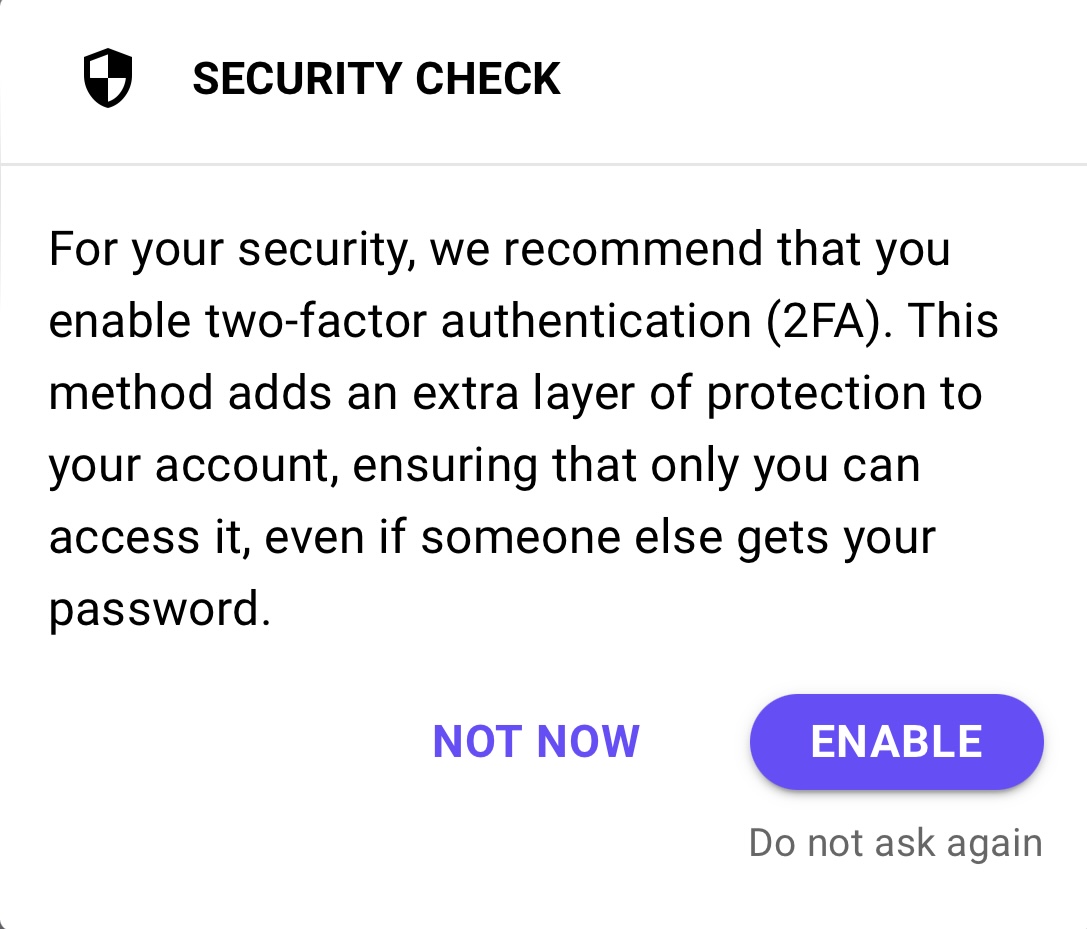
How to activate 2FA on OnlySafe?
When you log into OnlySafe and activate two-factor authentication, the process is simple.
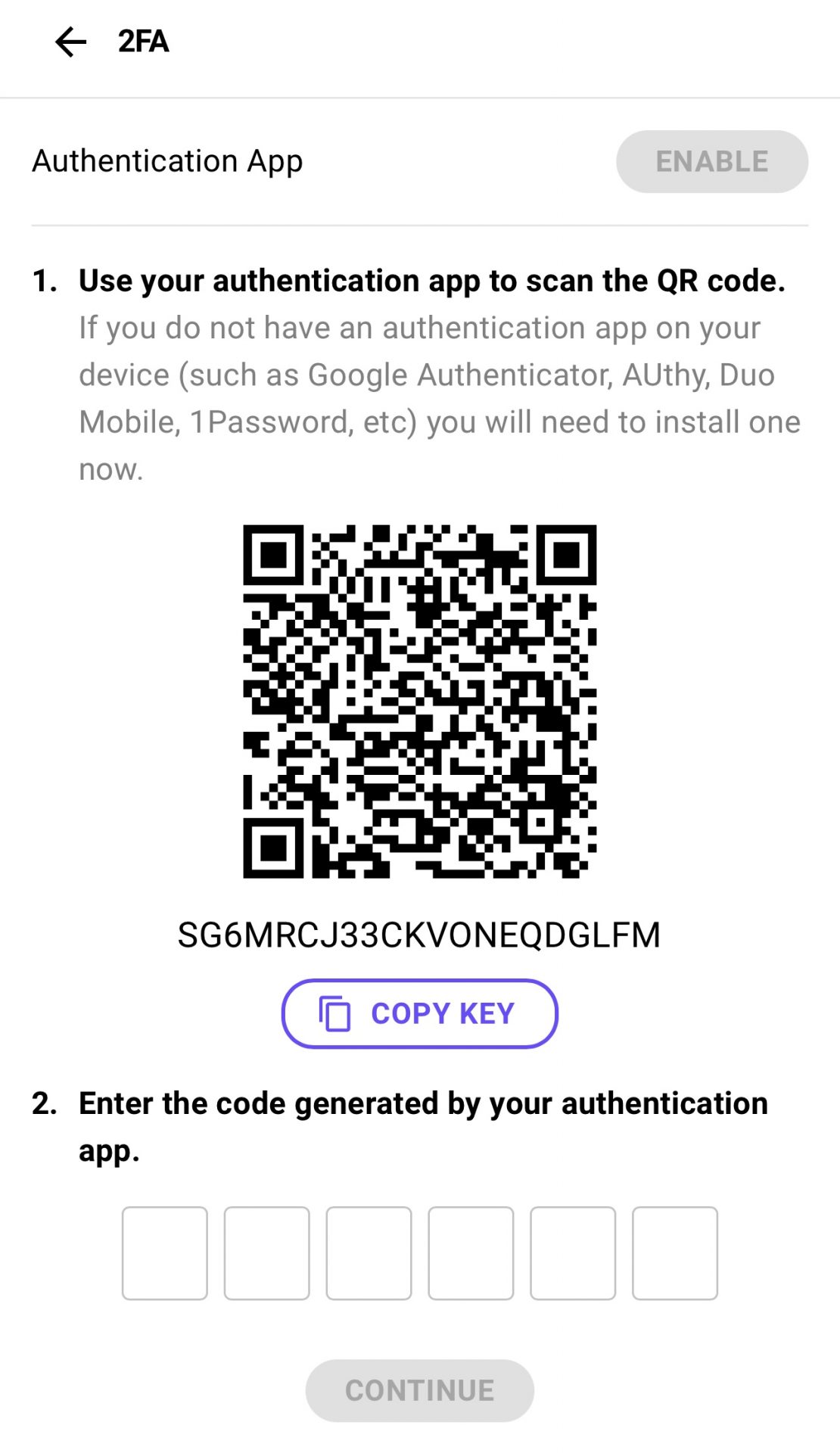
- Once you enable 2FA, the platform will generate a QR code that you’ll need to scan using an authentication app. There are several popular options available, such as Google Authenticator, 1Password, or Authy.
- After scanning the QR code with your authentication app, a temporary code will be generated. This code changes every few seconds, usually every 10, so it’s important to enter it quickly on OnlySafe.
- Once you’ve entered the temporary code on the platform, 2FA will be activated on your account. Each time you log in from now on, you’ll be asked to enter this code to verify that it’s really you trying to access your account.
How to use 2FA every time you log in?
Once you have activated two-factor authentication on OnlySafe, the login process changes slightly. After entering your username and password, the platform will prompt you to input the code generated by the authentication app you have chosen. Remember, this code changes every 10 seconds, so make sure to type it in promptly. If the code expires, simply wait for a new one to generate and try again.
Why is 2FA important?
- 2FA adds an extra layer of security. This means that even if someone manages to discover your password, they won’t be able to access your account without the code generated by your authentication app.
- This temporary code updates every 10 seconds, making it extremely difficult to guess. By using it in combination with your password, you can rest assured that your account is protected by two layers of security.
Benefits of activating 2FA on OnlySafe
- Protection against phishing attacks: Many attacks focus on obtaining your credentials. With 2FA, a password alone won’t be enough to compromise your account.
- Additional security on mobile devices: Authentication apps like Google Authenticator generate codes on your phone, meaning that in addition to your password, you’ll need a physical device to log in.
- Peace of mind: By activating 2FA, you can be certain that only you can access your account, even if your login details have been compromised in some way.
In a world where cyber threats are constantly increasing, activating 2FA is a simple yet powerful way to protect your account on OnlySafe. By adding this extra layer of protection, you can be confident that your information is safeguarded, and any unauthorized attempt to access your account will be blocked.
Haven’t activated 2FA on OnlySafe yet? Don’t wait any longer—add this extra layer of security today!